EOL router upgrade program
EOL Router Upgrade Program
PENGUIN is recommending a planned upgrade for customers currently using older UniFi Security Gateway models. This program provides a clear, predictable path to current UniFi gateway hardware while maintaining stability and continuity with existing network configurations.
The goal of this program is to transition supported customers to modern UniFi gateways that align with the current UniFi platform and long-term maintainability, without disruption or urgency-based pressure.
Why an upgrade is recommended
UniFi Security Gateway models such as the USG-3P and USG-Pro are no longer part of UniFi’s active hardware lifecycle. While these devices may continue to function, they are not aligned with current gateway development or long-term platform direction.
- Alignment with current UniFi Network software
- Improved routing, VPN, and security performance
- Cleaner long-term supportability
- Access to modern UniFi gateway capabilities
Devices covered by this program
- UniFi Security Gateway (USG-3P)
- UniFi Security Gateway Pro (USG-Pro / USG-Pro-4)
Recommended replacement options and pricing
| Replacement | Best Fit | Price |
|---|---|---|
| UXG-Lite | Most USG-3P environments | $125 |
| UXG-Max | USG-Pro replacements or higher-throughput sites | $225 |
Hardware comparison
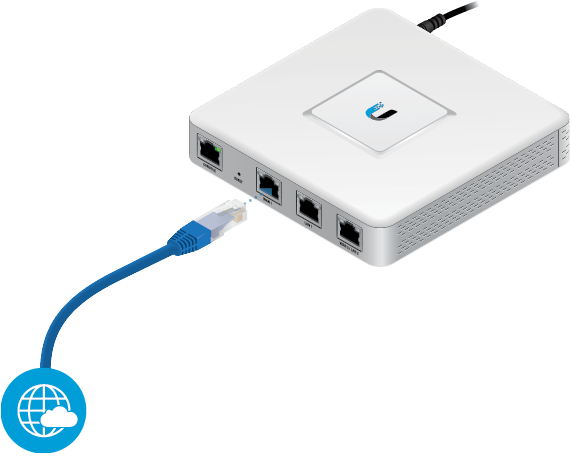
UniFi Security Gateway (USG-3P) |

UniFi Gateway Lite (UXG-Lite) |
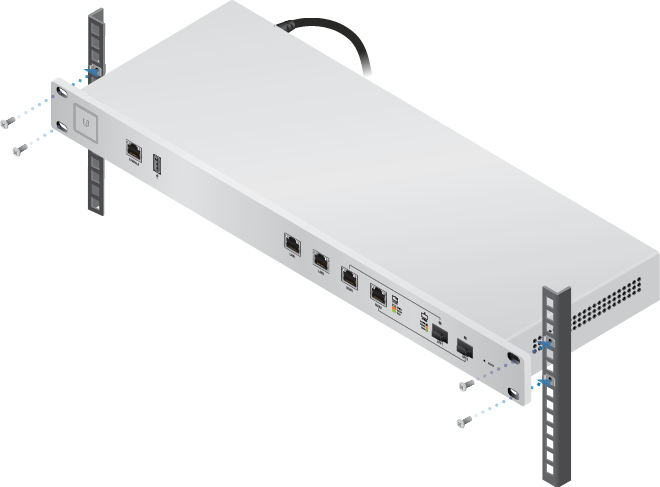
UniFi Security Gateway Pro (USG-Pro) |

UniFi Gateway Max (UXG-Max) |
How the upgrade is completed
Staging and configuration
PENGUIN stages and configures the replacement gateway in advance to align with your existing UniFi configuration and network requirements.
On-site replacement
Hardware replacement is completed by the customer or by an on-site IT professional. PENGUIN does not perform physical dispatches.
- Customer self-swap
- On-site replacement by an IT provider
- Referral to a PENGUIN partner IT vendor upon request
Post-swap validation
After installation, PENGUIN validates connectivity and routing remotely to confirm normal operation.
Next steps
To begin the EOL Router Upgrade Program, contact PENGUIN support.
Related Articles
Router Setting Guidelines
This article describes the recommended network settings that help ensure your router, firewall, or modem/router combination works properly with PENGUIN service. These adjustments are typically made through your device’s web interface. After making ...Setting Up Your Yealink Cordless Phone
Unboxing Your DECT Phone Your Yealink DECT package will include some or all of the following items depending on your model: DECT Base Station (W60B or W70B) Handset (W56H, W73H, W78H, W59R, or similar) Charging cradle for the handset Power adapter ...Getting Started With Your Poly VVX 150
The Poly VVX 150 is a reliable 2-line IP phone designed for simple, everyday calling needs. This guide walks you through assembly, connections, hardware features, provisioning behavior, and verification on the PENGUIN VoIP platform. Important: The ...Penguin's Network Design
Our Network Topology Resiliency to the Core The PENGUIN network is engineered for maximum uptime and fault tolerance. All calls are serviced by four fully independent, isolated, and high-availability data centers distributed across North America. ...Getting Started With Your Poly VVX 350
The Poly VVX 350 is a reliable 6-line IP phone designed for busy desks and everyday calling needs. This guide walks you through assembly, connections, hardware features, provisioning behavior, and verification on the PENGUIN VoIP platform. Important: ...